
Alloy/Viewを上から縦に並べる
キーワード
- Titanium Mobile
- Alloy
目標
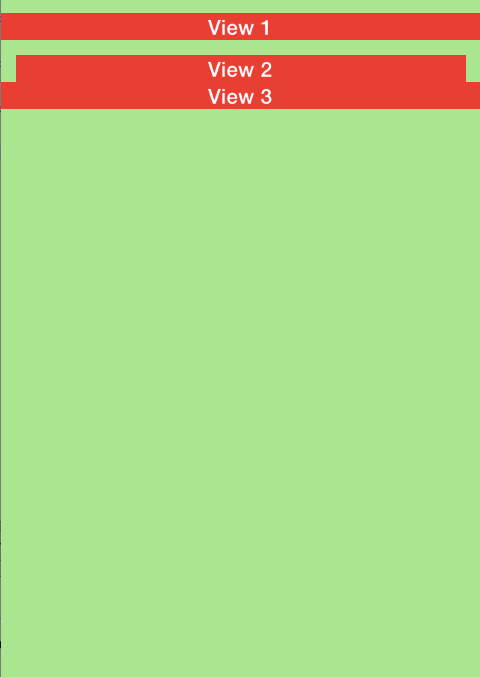
View を上から縦に並べます。
方法
- Window.xml
<Alloy>
	<Window id="window">
		<View id="view1">
			<Label>View 1</Label>
		</View>
		<View id="view2">
			<Label>View 2</Label>
		</View>
		<View id="view3">
			<Label>View 3</Label>
		</View>
	</Window>
</Alloy>
- Window.tss
'#window': {
	layout: 'vertical',
	backgroundColor: '#90EE90',
},
'#view1': {
	height: Ti.UI.SIZE,
	top: 10,
	bottom: 10,
	backgroundColor: 'red',
},
'#view2': {
	height: Ti.UI.SIZE,
	left: 10,
	right: 10,
	backgroundColor: 'red',
},
'#view3': {
	height: Ti.UI.SIZE,
	backgroundColor: 'red',
}
解説
縦に並べたい要素の親に「layout: ‘vertical’」を指定します。HTML で「position: ‘relative’」を指定するのとは少し違いますね。
tss 属性
- layout
- 子要素の並べ方を指定します(horizontal/vertical)
- top, bottom, left, right
- CSS でいうところの margin-* です
- backgroundColor
- CSS でいうところの background-color です
参考
作成日 2013-12-31 / 更新日 2014-01-01